What Resora does

Seventeen areas from the accommodation application to building operations, described the way an officer, a caretaker and a student use them.

Accommodation: from application to settlement

The core of the product: beds, people, contracts and money in one system.

Buildings and beds

Resora keeps the register from site through building and floor down to room and bed, each element with validity in time.

  • Register of site → building → floor → unit → room → bed with change history.
  • The occupancy map shows free, occupied and blocked beds of the whole hall in one place.
  • Capacity is managed over time; beds are blocked for repairs or events.
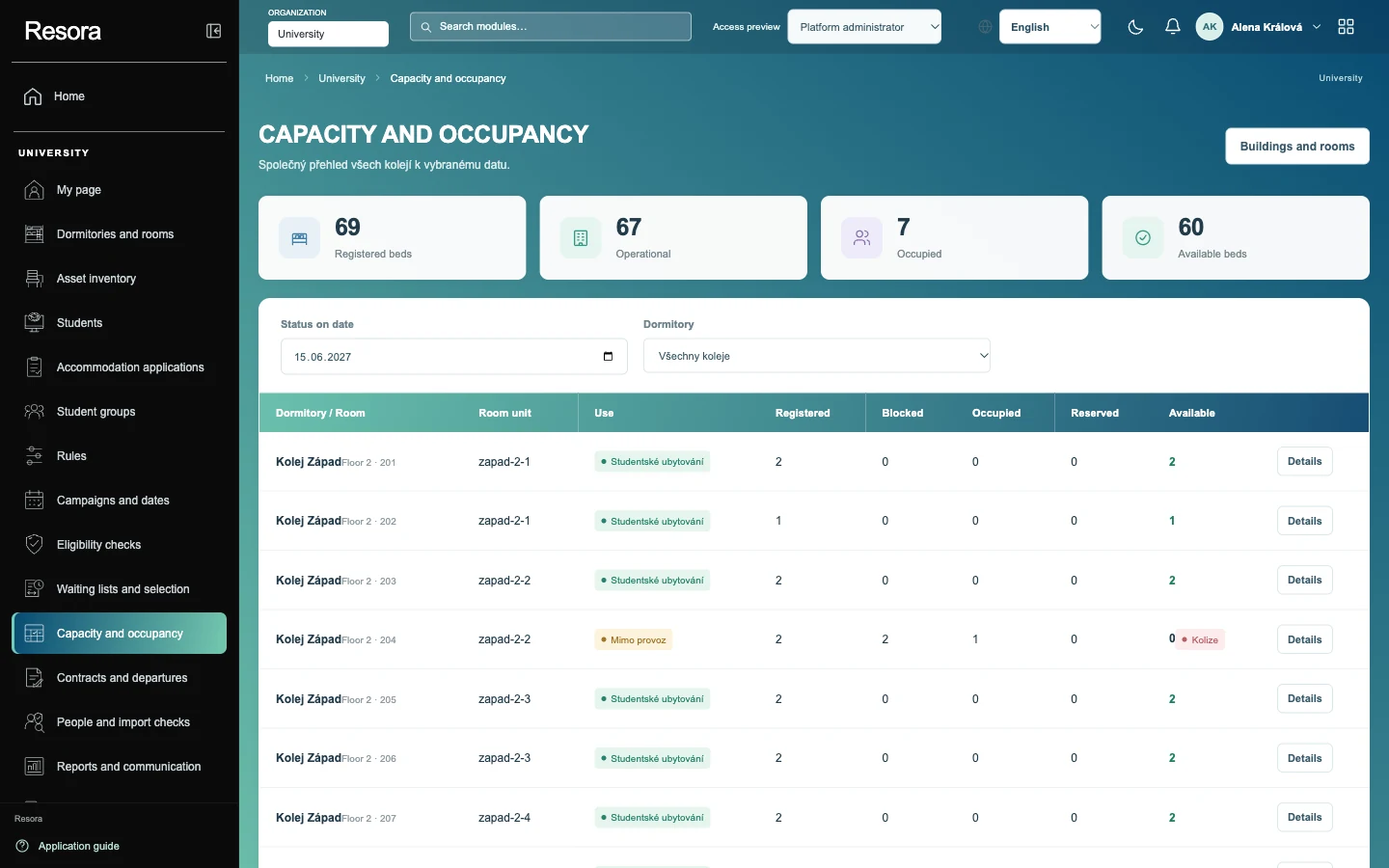
Capacity and occupancy: the state of beds in all halls for a selected date.

Applications and room allocation

Students apply on the web or on mobile and the system ranks each application by rules the institution sets itself.

  • Automatic ranking of applicants by configurable ordering criteria.
  • Students choose their own room within the institution's rules.
  • Partners link their applications with a shared code.
  • Waiting-list applicants move up to freed beds without manual work by the officer.
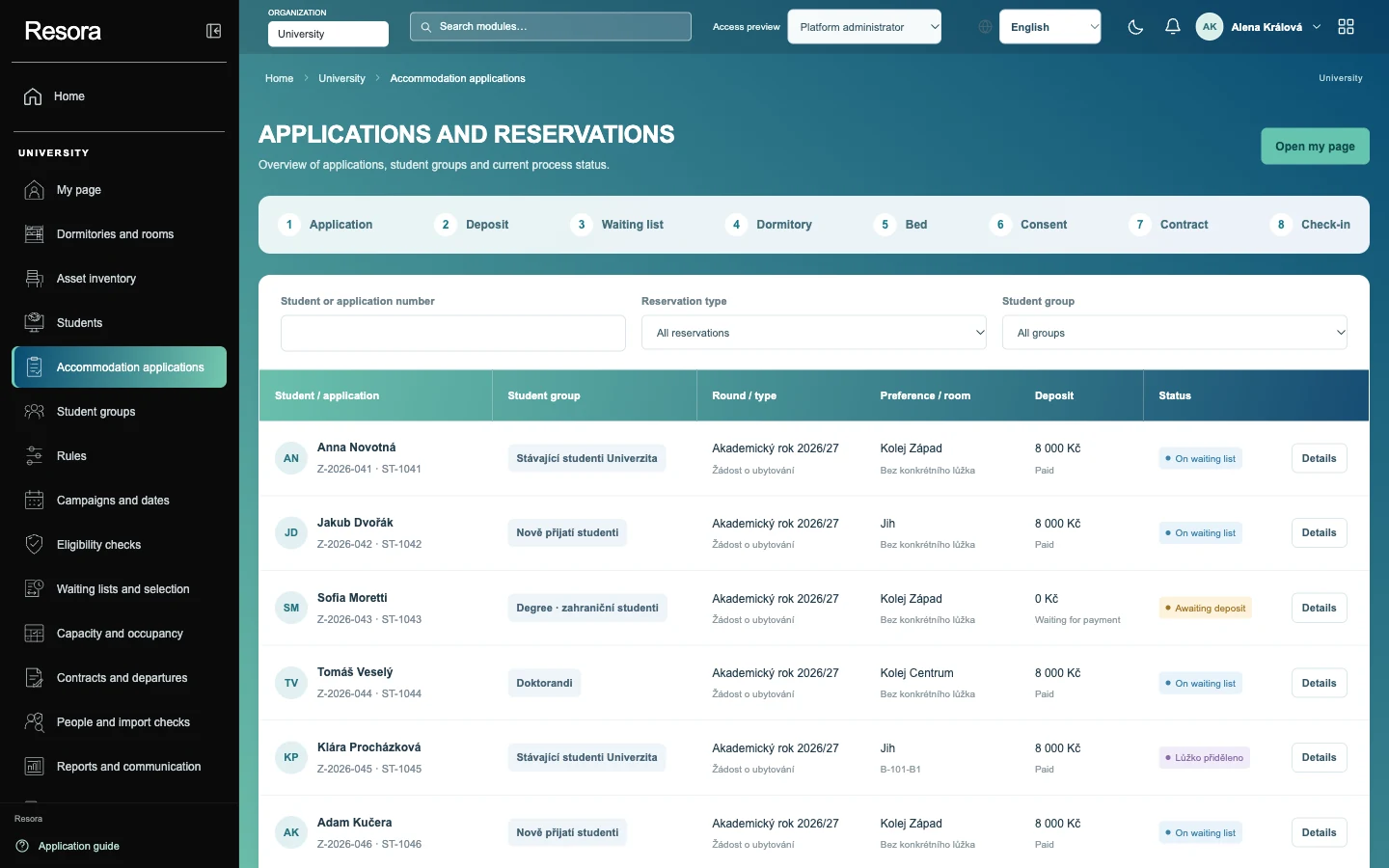
Applications and reservations: process steps and a table of applications with their status.

Stays and contracts

From reservation to check-out, Resora keeps each stay as one record with its contract, documents and visits.

  • Reservations for students and guests, hotel bookings from sales channels and groups with one group bill.
  • Check-in at reception, on mobile or at a self-service kiosk.
  • Contracts and documents generated from templates and confirmed electronically by the resident.
  • Visits with a night limit and a QR code; reporting of foreign residents to the police.
  • Check-out is linked to tickets and room cleaning.

Account and payments

Every client has one account: deposit, charges and payments. The system matches payments itself and accounting receives the data without retyping.

  • Client account with deposit, charges and a debt overview.
  • Card payments through a payment gateway and a terminal, QR payment.
  • Bank statements with automatic matching, direct debit and refunds.
  • Cash desk, tax documents and invoices.
  • Period closing and export to the accounting system.

Services and reservations

Students book hall and campus services in the same app where they have their application, contract and account.

  • A catalogue of hall and campus services with price lists.
  • Booking of sports facilities and study rooms on the web and on mobile.
  • Equipment loans.
  • Laundry rooms.

Dining and meal orders

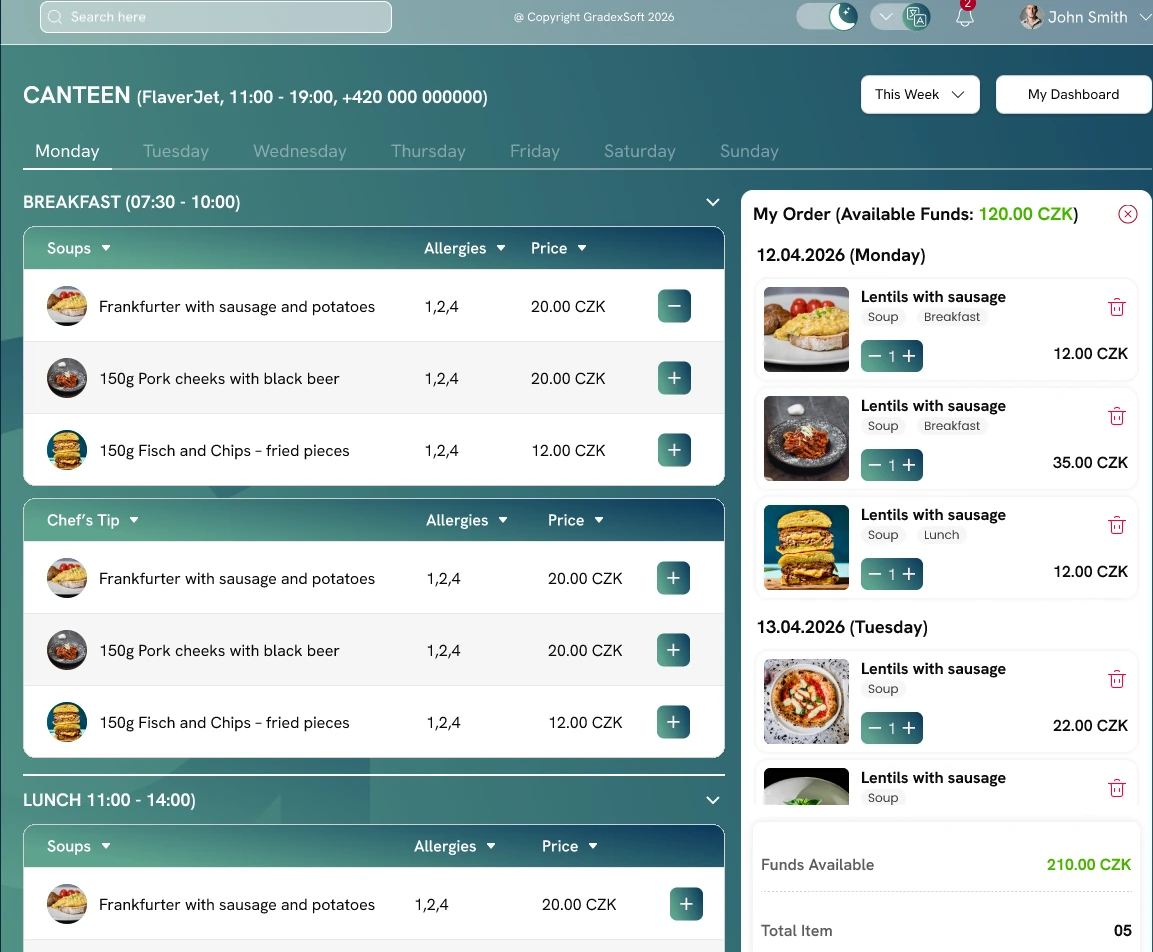
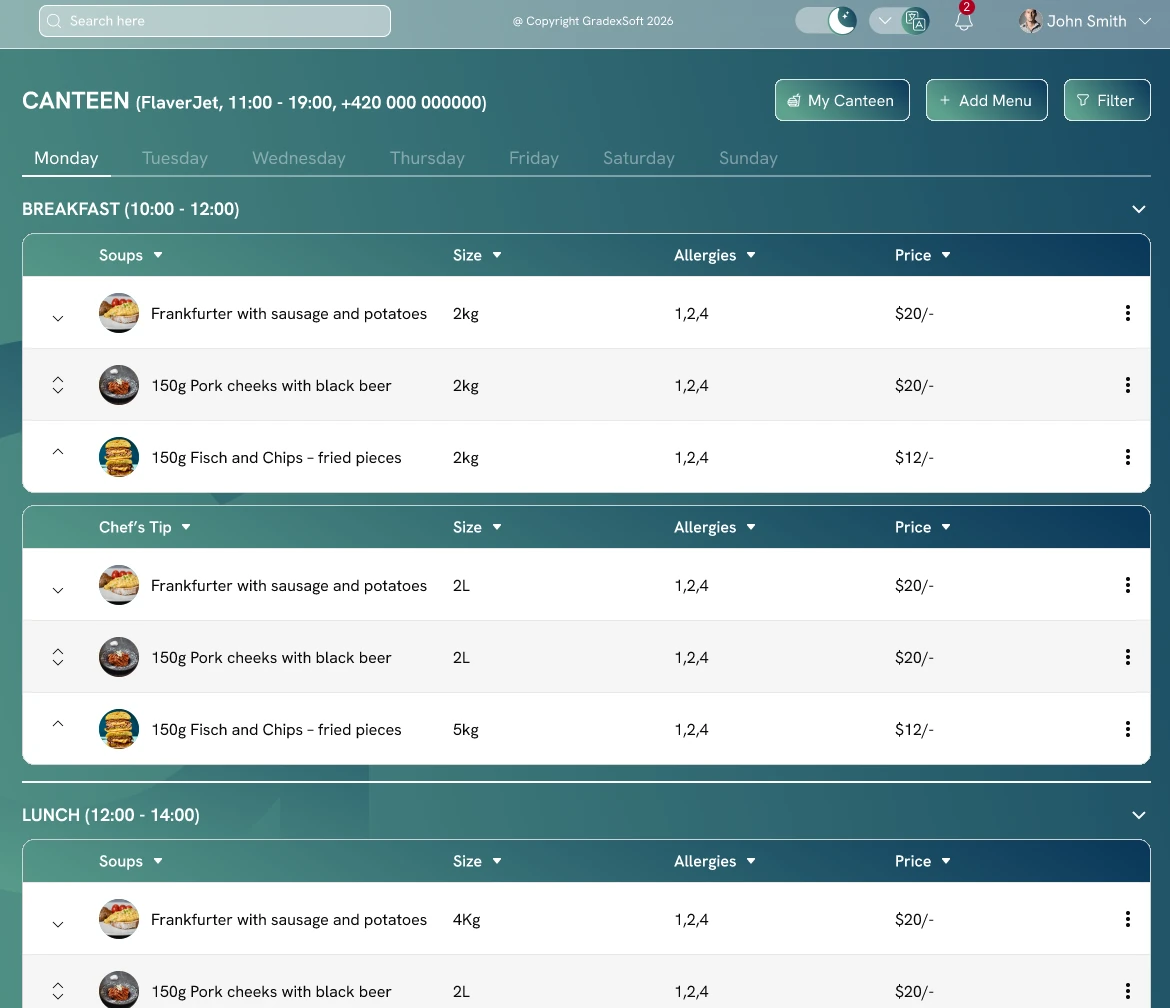
Students order meals in the canteen or dining hall through a web interface. Ordering is connected to the Gradex Gastro catering system.

  • Menu by day and course with allergens and prices.
  • Ordering a week ahead; the basket shows the ordered meals and the diner's credit.
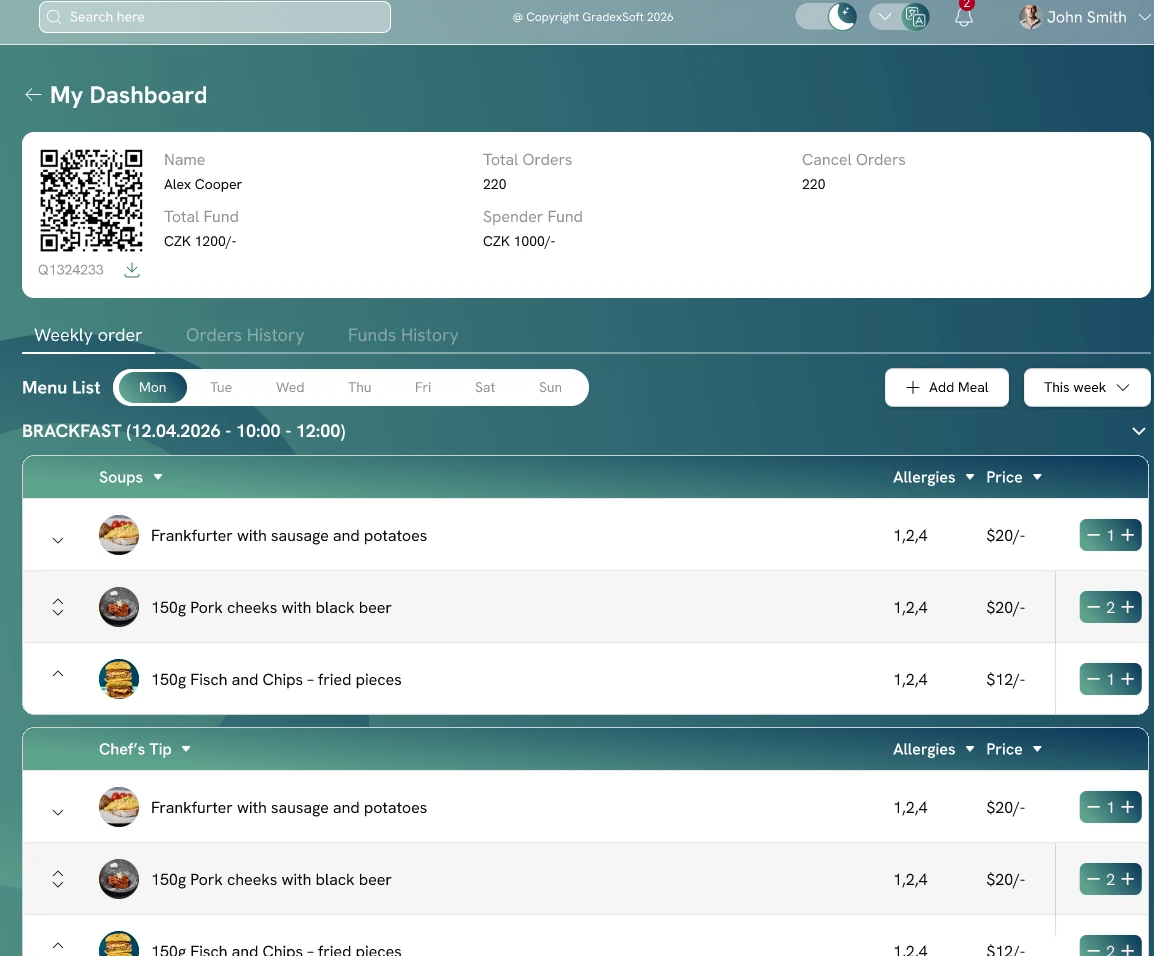
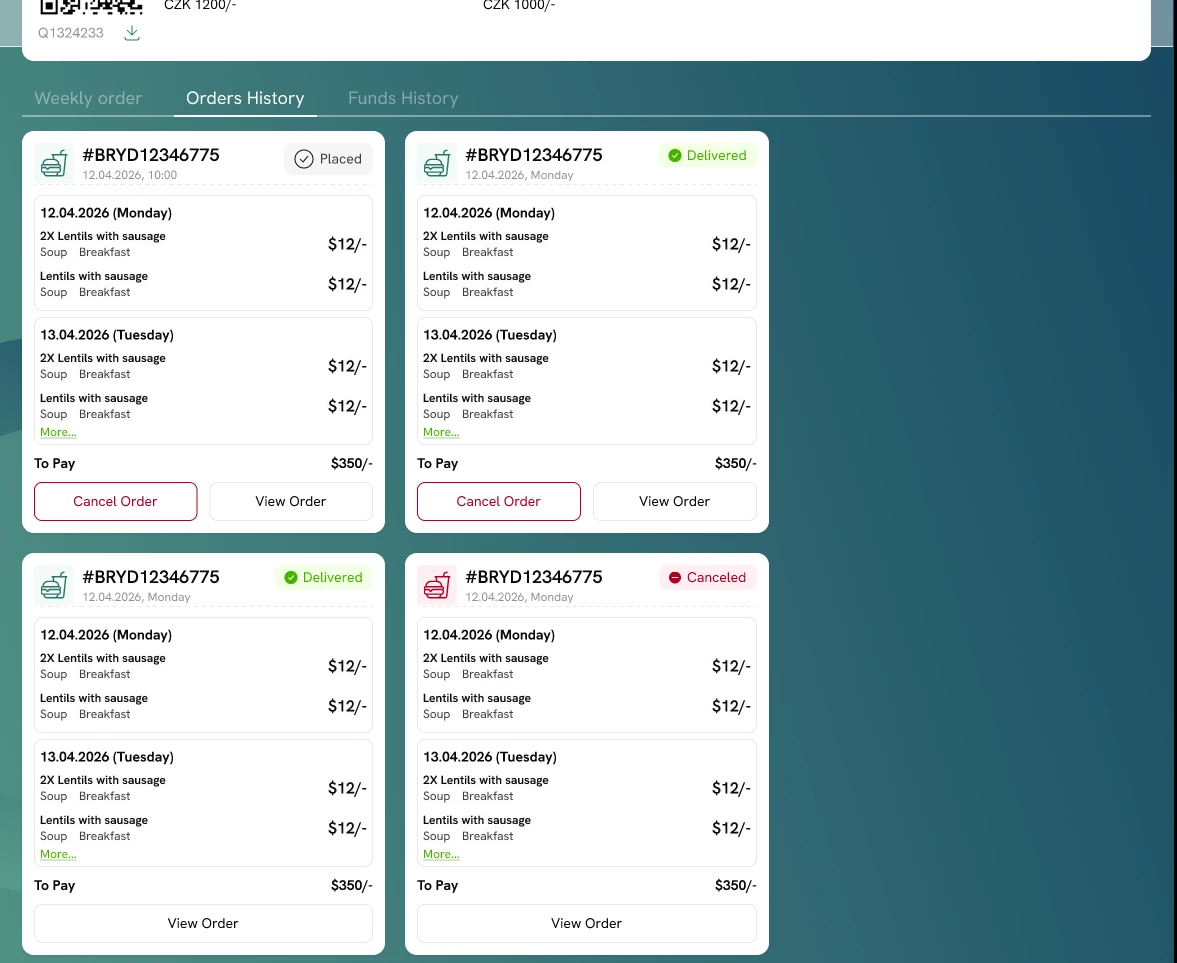
  • The diner's QR code, credit and its history, order history with statuses and order cancellation.
  • Connection to Gradex Gastro, where the canteen manages its menu.

Building operations and communication

The work of caretakers, reception and cleaning in one place instead of paper and several applications.

Operations and maintenance

Faults, inspections and maintenance have one place: a service desk linked to building, room and bed.

  • A student reports a fault from the phone; the caretaker receives it as a ticket.
  • The service desk tracks each ticket from report to resolution.
  • Room inspections with a recorded result.
  • Maintenance schedule for buildings and equipment.
  • Cleaning linked to room check-out.

Communication

Messages to residents go out from the same system that holds their data.

  • Messages to individuals and groups.
  • Message templates.
  • Bulk communication to a hall, a floor or a group.
  • Notifications by e-mail, SMS and mobile push.

Reports and exports

Reports draw on live data and every export respects the role's permissions.

  • Occupancy report for buildings, rooms and beds.
  • Report of payments and debtors.
  • Export to CSV and XLSX.
  • A field the role cannot see is not in the export either.

Platform: customisation, permissions, audit

The foundation everything else stands on.

Custom fields and code lists

The institution's administrator adds fields and forms without programming and without the vendor.

  • Custom fields with validation and placement in the form.
  • Forms built without programming.
  • Shared code lists with versions and item validity.
  • Administrator guide in Czech and English.

Roles and field-level permissions

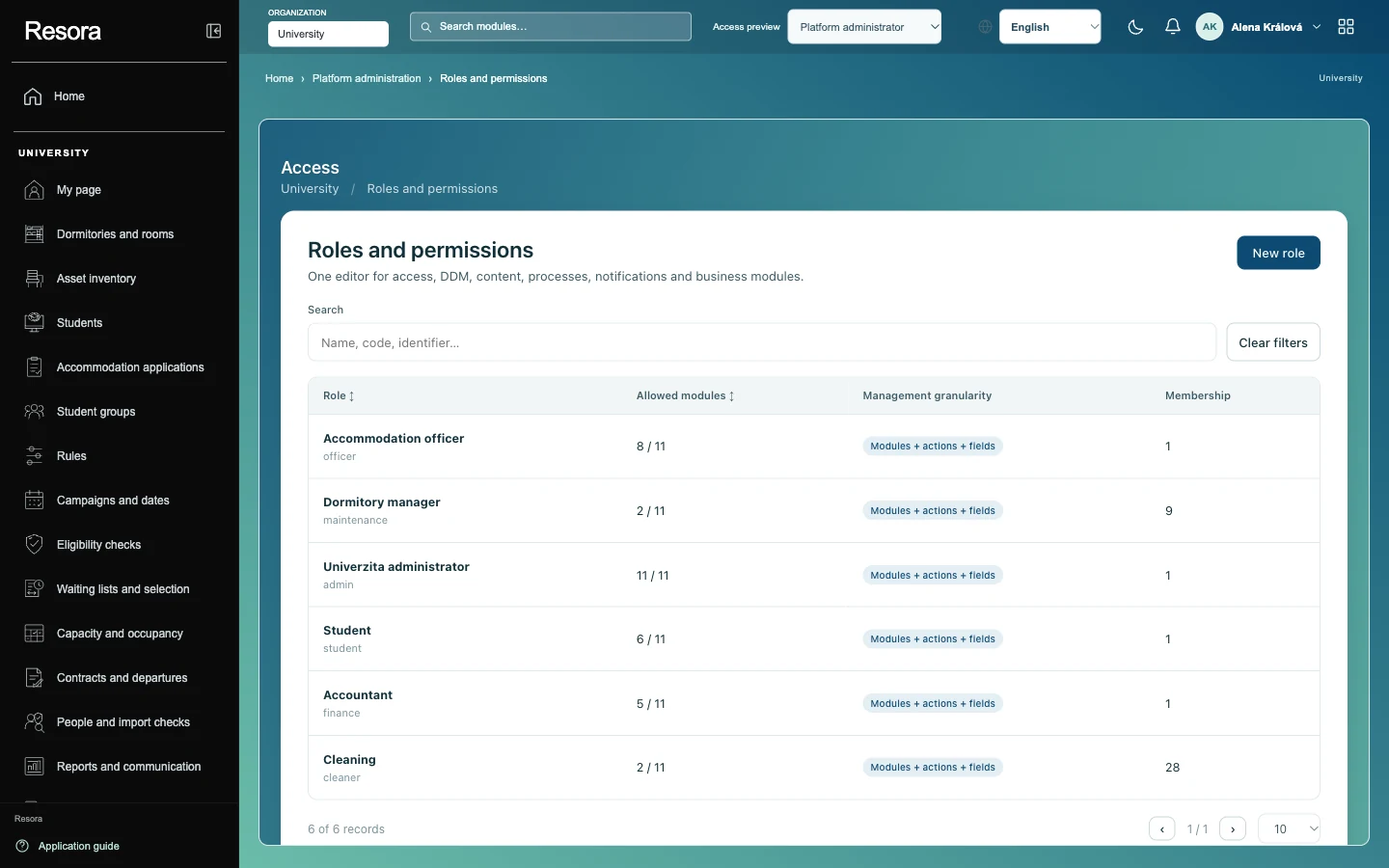
One catalogue of modules, actions and fields for the whole system. A form shows only what the role is entitled to.

  • Roles and their assignment to users.
  • A permission for every field: hidden, masked, read, write.
  • Custom fields follow the same permissions as system fields.
  • Read-only “view as another user”.
Roles and permissions: permitted modules and management detail for every role.

Audit trail

Every change has a record: who, when, from where and why.

  • One audit trail for changes from the application, from integrations and from bulk operations.
  • Change history on every record.
  • Actor and reason on every change.

Documents and attachments

Contracts, receipts and photos belong to the record they concern and follow the same permissions as the data.

  • Documents and attachments on a stay, an account or a fault.
  • Document versions.
  • Documents generated from templates.
  • Only a user with permission to the record opens the file.

Identity and data security

Users sign in with their institution's account; each institution's data is kept separate.

  • Sign-in through the institution's identity: LDAP/AD and single sign-on (SSO).
  • Multi-factor authentication.
  • Accounts for staff, students and guests.
  • Separate data for each institution.

Integrations and API

Resora connects to the systems the institution already has through a documented REST API and connectors.

  • A documented REST API for the institution's own applications.
  • Connector to the student information system.
  • Connector to the accounting system and payment gateways.
  • Connector to access control and cards.
  • Address and company registers, exchange rates.

Apps and hosting

How Resora is used and where it runs.

Web and mobile

Staff work in one web environment; students and operational roles have mobile apps.

  • Staff web: every agenda in one environment.
  • Student web: application, contract, account, reservations.
  • Mobile app for students (Android, iOS).
  • Mobile app for staff: reception, cleaning, caretakers.
  • Czech and English.

Hosting and operation

Resora runs on the institution's infrastructure or in the cloud. The product is the same in both cases.

  • On-premise operation at the customer.
  • Cloud operation as a service.
  • The same features and data under the institution's control in both variants.

Want to see Resora?

We show it on examples from running halls of residence and answer your questions.

Book a demo